Car dashboard for Android
Turn your phone into a car dashboard
A big glanceable speedometer, 3D maps, music, internet radio and one-tap calls on one dark, landscape screen. A CarPlay-style cockpit for any car, no head unit required.
One email the day it lands on Google Play. No spam.
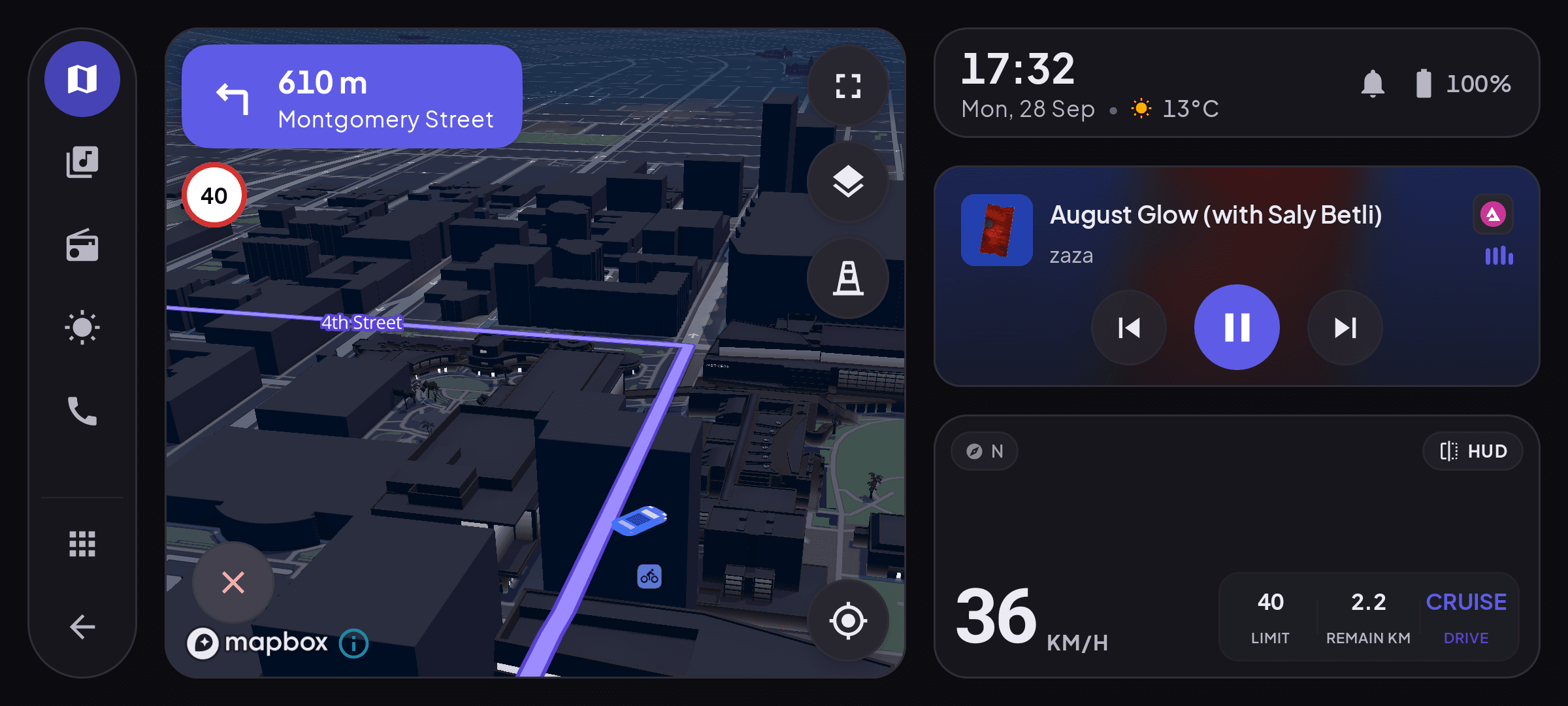
The cockpit, running on a phone in landscape.
One cockpit
Everything you need while driving
No more juggling apps at a red light. Speed, maps, music, radio and calls live on one dark, glanceable screen built for a dash mount.
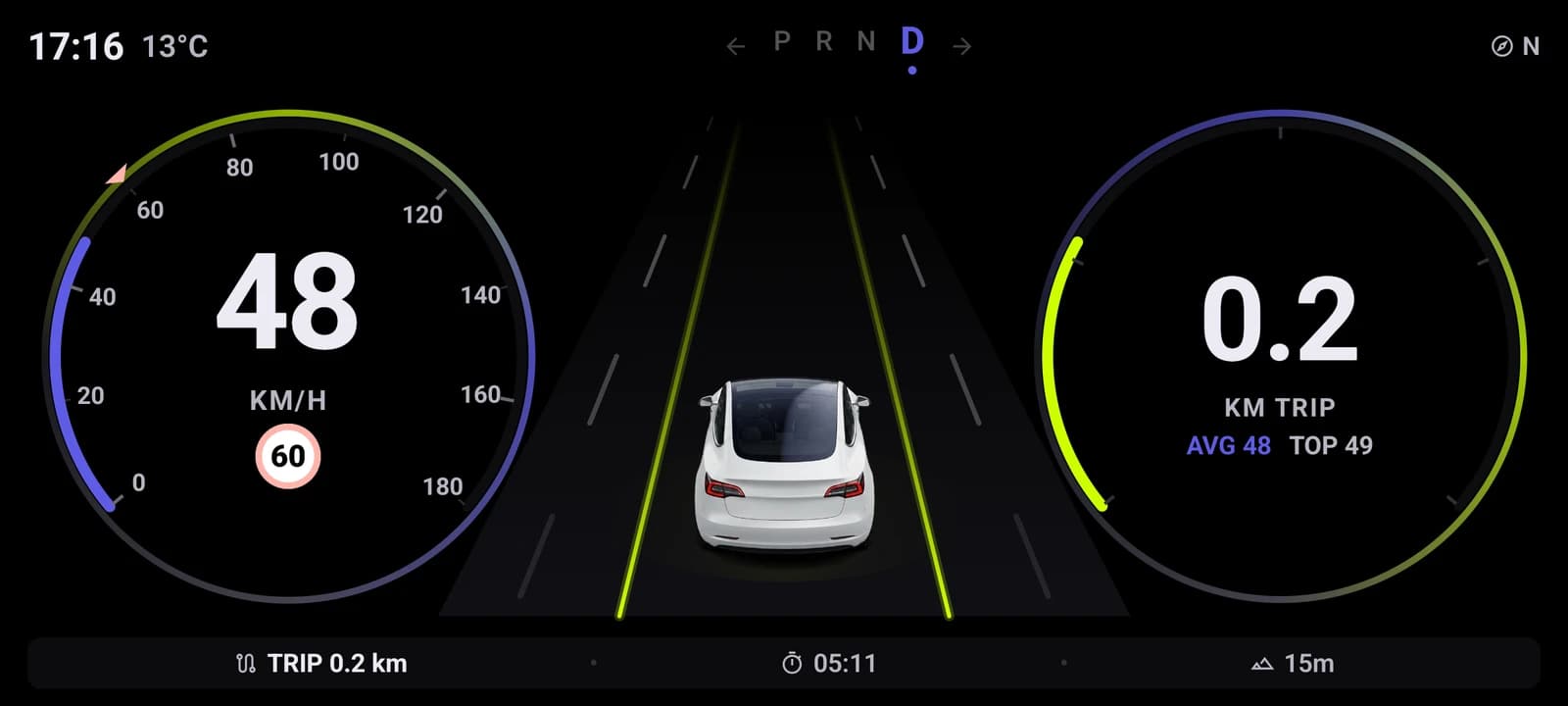
Glanceable speedometer
A big GPS speed readout you register in half a second, plus clock, date and heading.
3D maps and navigation
Turn-by-turn directions with 3D buildings, right inside the cockpit.
Music player
Play and skip your music with big, car-friendly controls without leaving the dashboard.
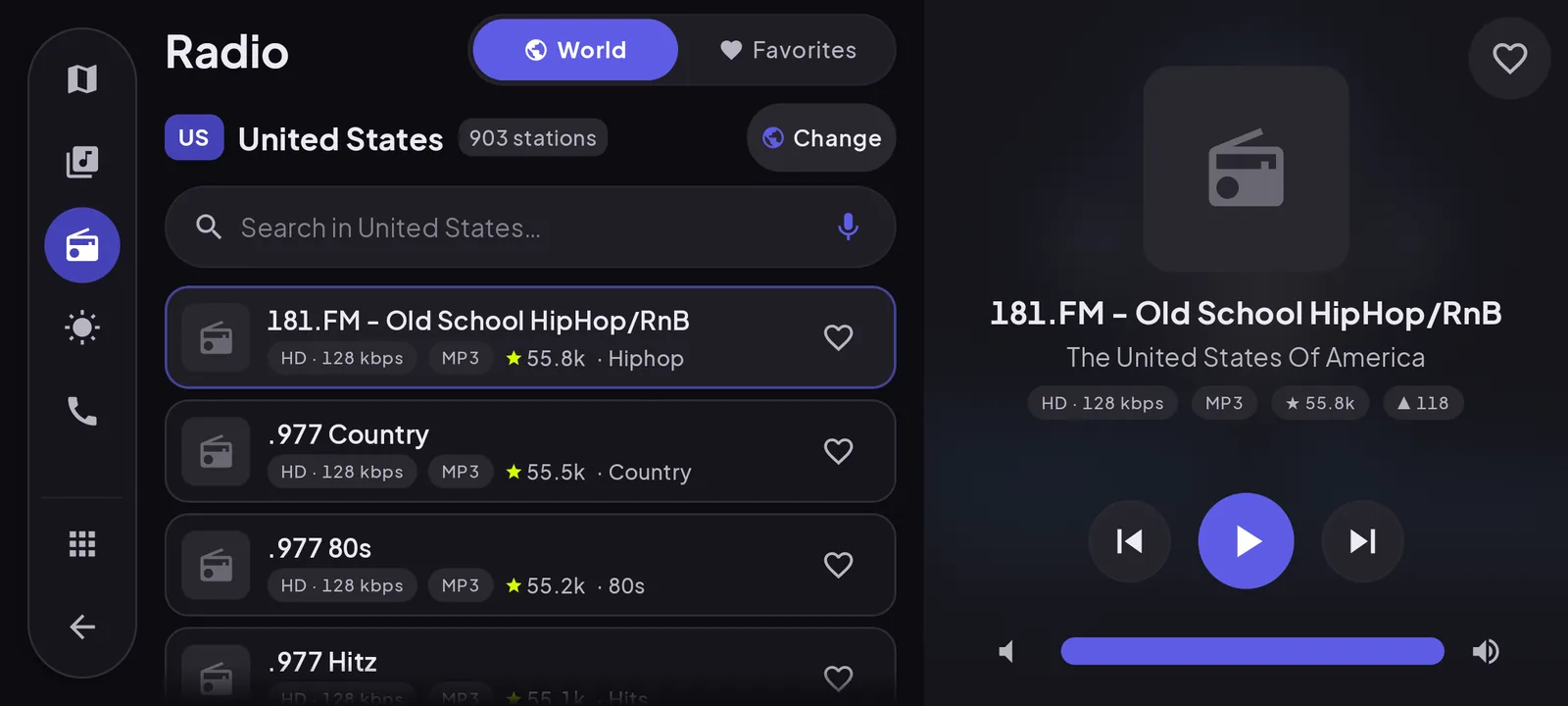
Internet radio
Thousands of stations worldwide, saved as favorites for one-tap play on the road.
One-tap calls
A big-button dialer and your saved contacts, so a call is one tap, not a hunt through menus.
Weather and garage
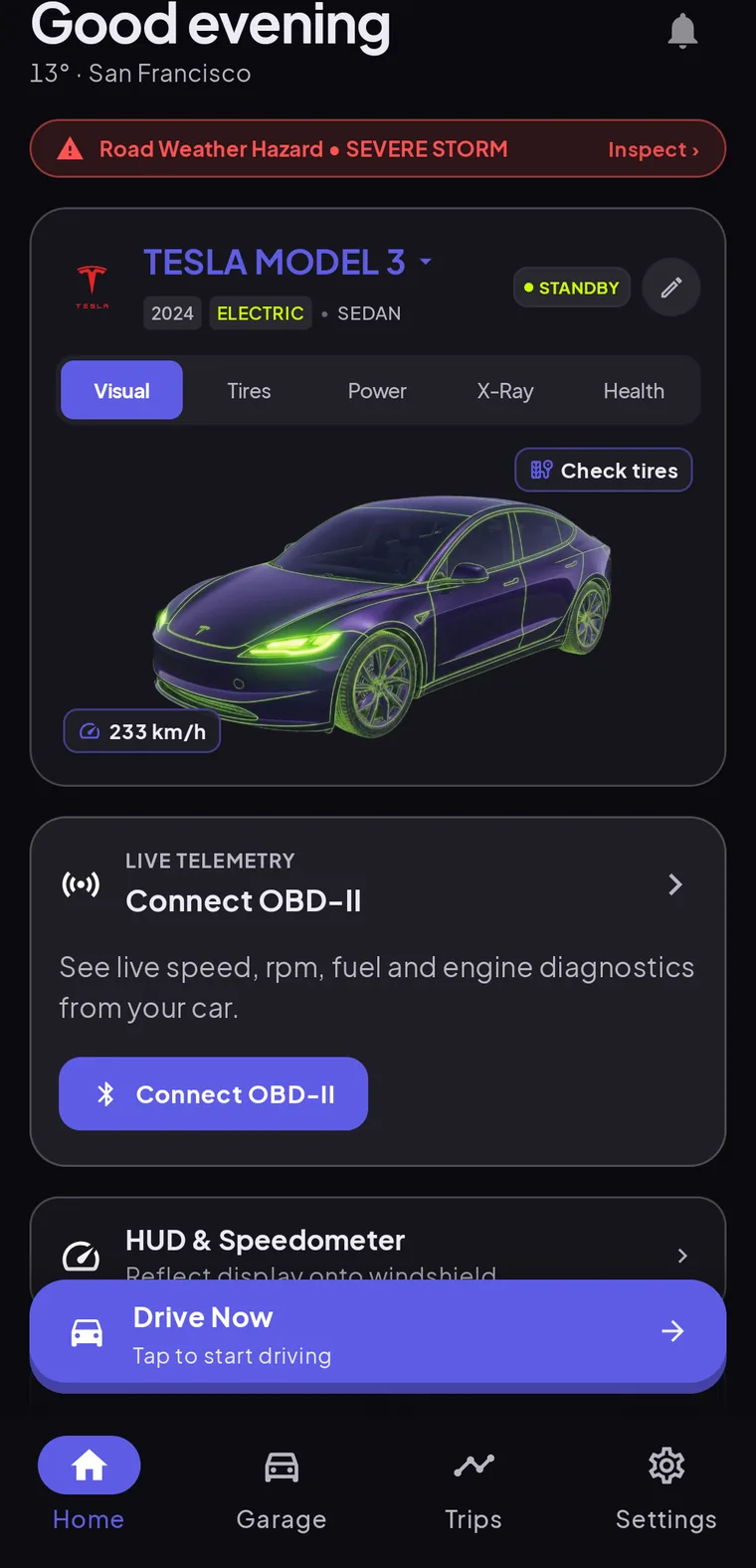
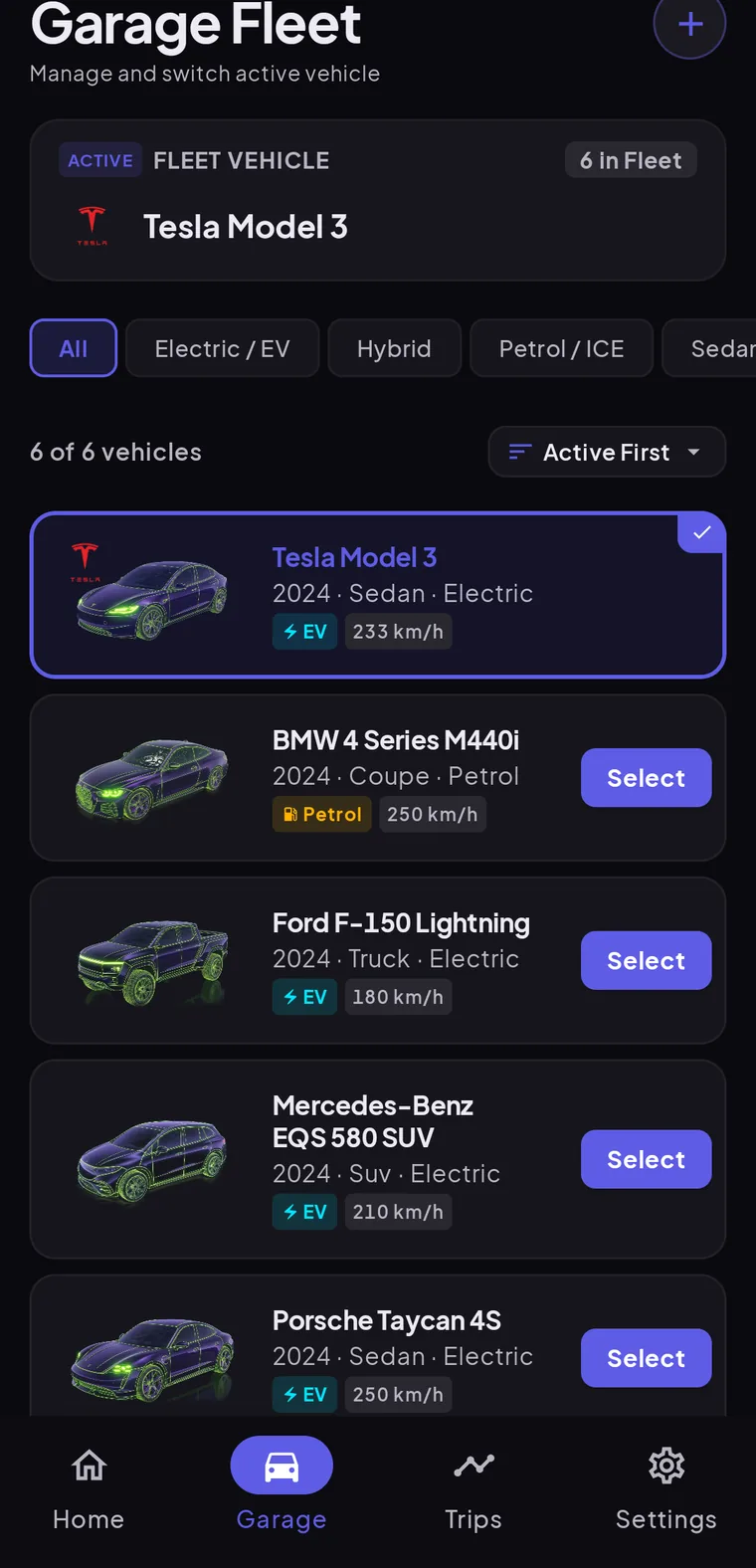
Local weather at a glance, plus a garage for your vehicles and live OBD-II data.
See it in action
Your whole car, on one phone
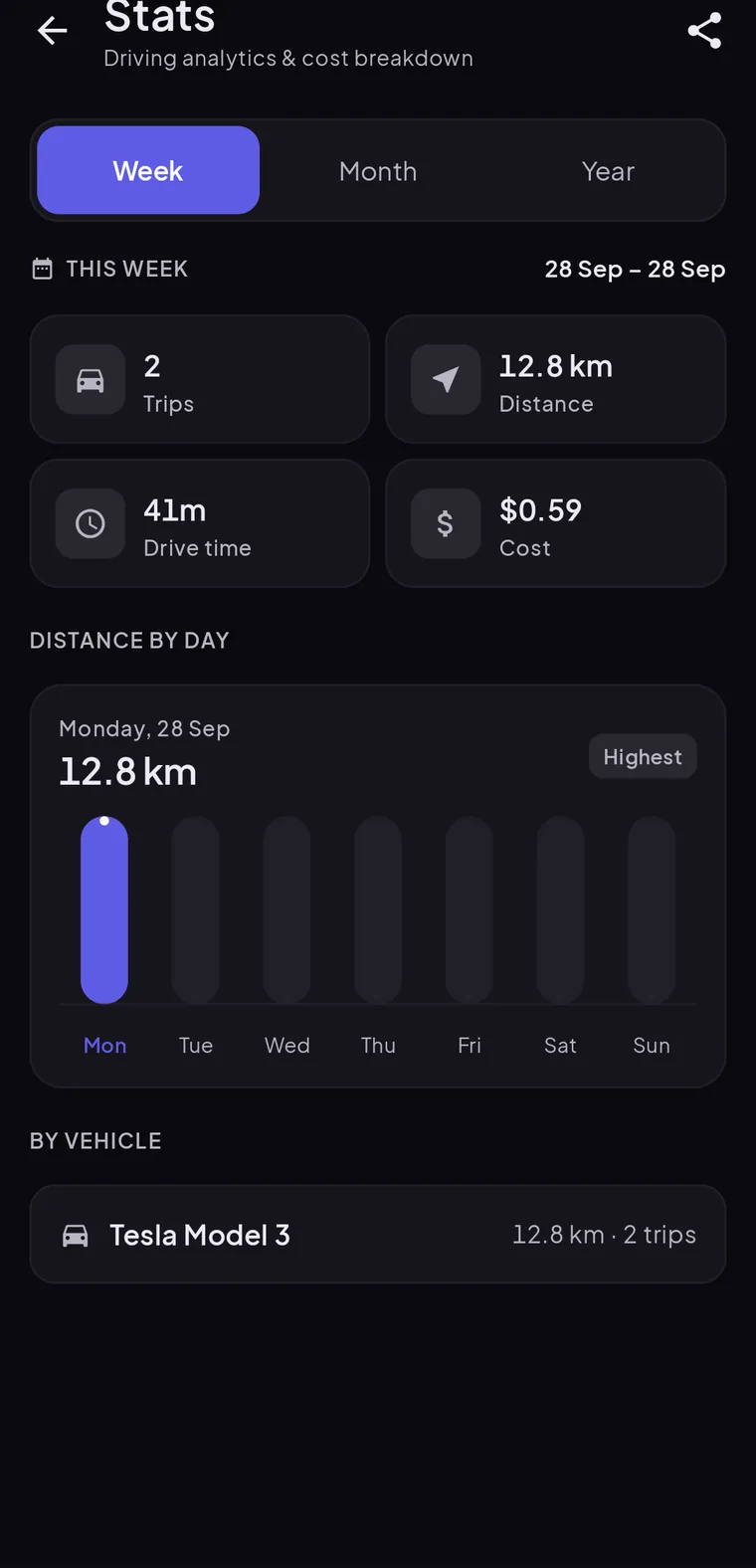
A home screen for your vehicle, a garage for the whole fleet, and a trip log that adds up the drives. Real screens from the app.
Mount, open, drive
No head unit, no wiring, no account. Your phone becomes the cockpit the moment you dock it.
- 1
Mount your phone
Drop your phone in a dash mount, low and central, in landscape. That is the only hardware you need.
- 2
Open Cardashly
Your phone becomes a driving display: speed, maps, music and calls on one screen. No account needed.
- 3
Just drive
Everything is a glance away, with big controls and a dark night theme. Set your route and music, then keep your eyes on the road.
Questions, answered
What is Cardashly?
Cardashly is an Android app that turns your mounted phone into a car cockpit: a big glanceable speedometer, clock, weather, 3D maps, music, internet radio and one-tap calling on one dark, landscape screen. It runs on the phone itself, so it works in any car with no special hardware.
Is Cardashly the same as Apple CarPlay or Android Auto?
No. CarPlay and Android Auto project your apps onto the car's built-in screen and need a compatible head unit. Cardashly is a CarPlay-style launcher that makes your phone the display, on a dash mount, in any car. It does not mirror or project your phone screen to a car, and it is not affiliated with Apple or Google.
Do I need a special car or head unit?
No. Because Cardashly runs on the phone, it works in any car, including older ones with no infotainment screen. You need a dash mount and, ideally, a charger, since the screen and GPS use power.
Does it work on a tablet?
Yes. The cockpit is built landscape-first, so it scales up to an Android tablet on a dash mount for a roomier layout.
When can I download it?
Cardashly is coming soon to Google Play for Android. Join the waitlist and we will email you once, the day it launches.
Guides for the road
All guides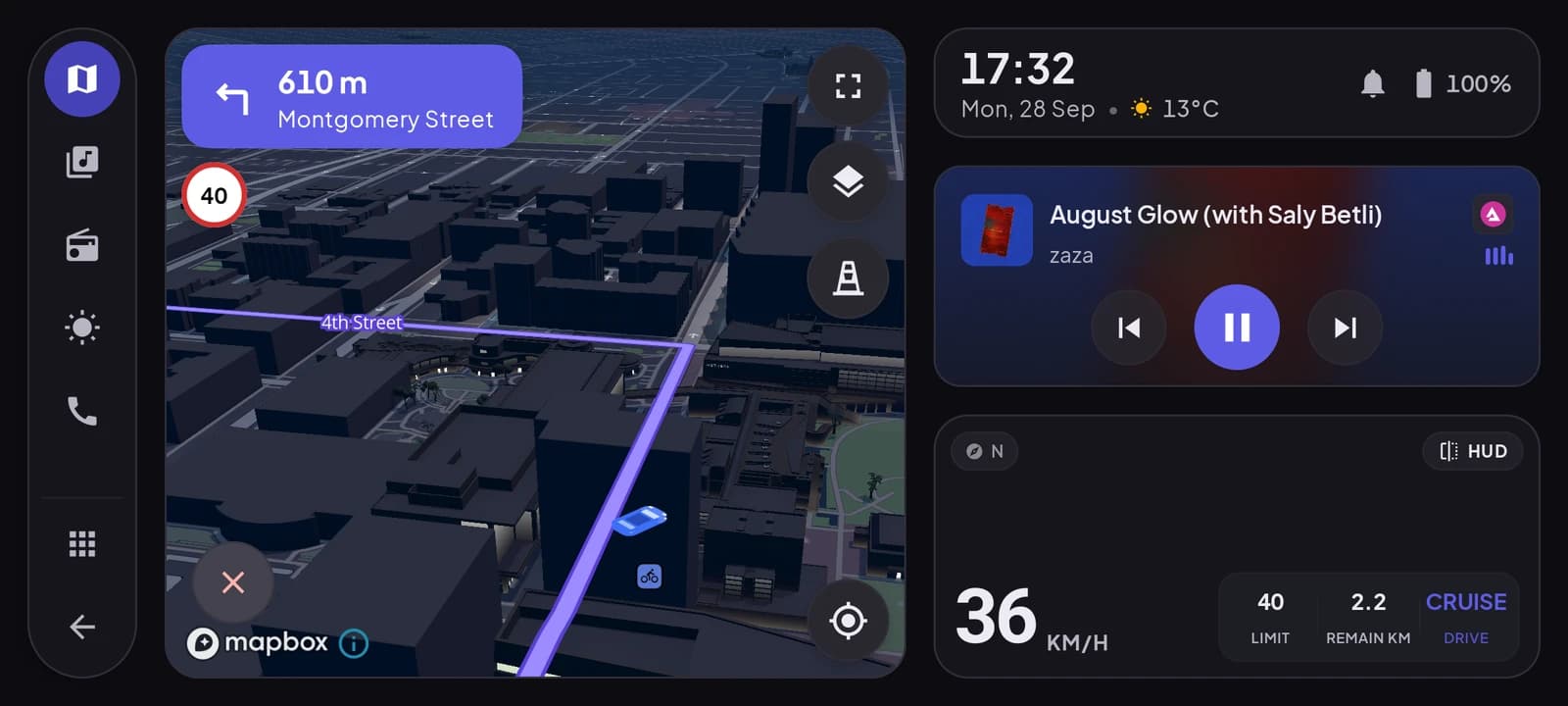
0km/h
Parked for now. Be first when it launches.
Join the waitlist and get one email the day Cardashly lands on Google Play.
One email the day it lands on Google Play. No spam.